
Installing the DashKing88 App: Android Setup and the 28-Spin Welcome Reward
We built the DashKing88 app so RM players can reach slots, live tables and the sportsbook without opening a browser tab first. This guide walks through where to find the app icons, what the Android-only install reward is worth, how the setup itself works, and what to do on a phone where installing an app isn't the easiest option.
DK88 on Mobile: What's Available Right Now
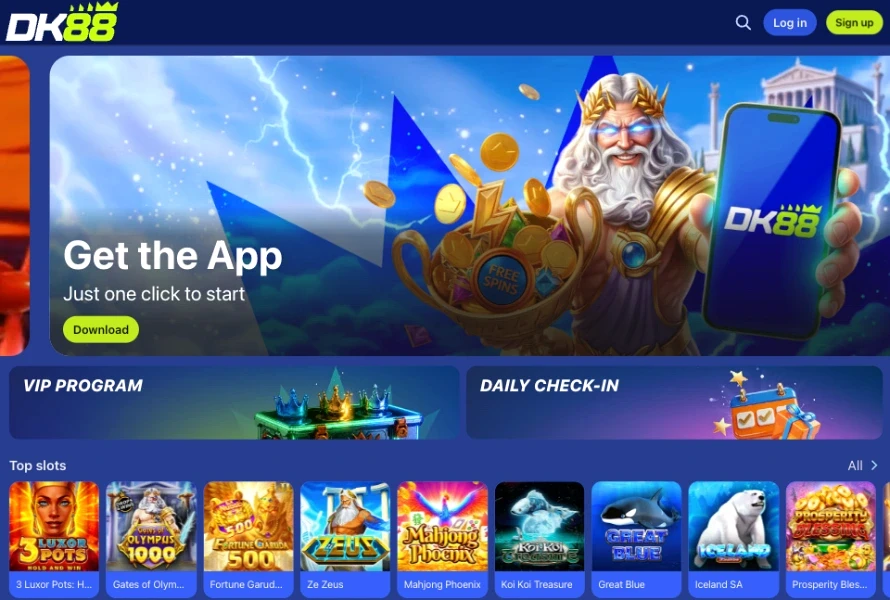
Both Android and iOS icons sit in our burger menu and again in the site footer, so the app is never more than two taps away once you're on our site from a phone. We haven't published direct App Store or Google Play links outside those in-page icons, and a QR code on the app page offers a quicker route from a desktop screen straight to a handset. Once installed, the app carries the same account, balance and game library as our desktop and browser versions, just packaged for faster repeat loading.
The Android Install Bonus: 28 Free Spins, No Wager
Installing our Android app unlocks a reward that's separate from every other welcome offer we run — no deposit, no promo code, no activation button. Here's exactly what it includes:
- 28 free spins, each valued at RM 0.20, for a nominal spin value of RM 5.60.
- Zero wagering requirement — a straight 0x on the spins and on anything they pay out.
- Winnings capped at RM 88 for this particular reward.
- Fixed to one title: the spins run on Gates of Olympus 1000, with no game-selection step.
- Automatic credit the moment the Android app finishes installing — nothing to claim manually.
Because it's tied to the Android install event rather than a deposit, this reward sits outside our other welcome bonuses and follows its own rules, set out in full in our Terms & Conditions, rather than the general Bonus Policy wagering windows used elsewhere on the site.
How to Set Up the DashKing88 App on Android
Our Android package is distributed straight from our own domain rather than through Google Play, so the phone's installer needs a one-time permission before the file will open. The steps below cover the full process from menu icon to a working home-screen shortcut.
- From a mobile browser, open our site and tap the app icon in the burger menu, or scan the QR code shown on the app page.
- Select the Android download option to start pulling the installation file.
- If prompted, allow installs from this source — Android shows this once for any file that arrives outside Google Play.
- Open the downloaded file from your notifications or downloads folder to launch the installer.
- Confirm the install prompt and wait for the DashKing88 icon to land on your home screen.
- Open the app and sign in with your existing DK88 login, or register a fresh account from inside the app itself.
Your balance, bonus progress and betting history stay synced across every DK88 login whichever version you're using next, so switching between the app and a browser mid-session never resets anything.
Playing DK88 Malaysia Without an Install
An installed app isn't the only route into our platform on a phone. If sideloading is disabled on your device, or you'd simply rather skip a download, the mobile site reshapes itself into a touch-friendly layout carrying the identical game catalogue, sportsbook markets and account tools.
- iOS players: since the app promotion targets Android specifically, the mobile browser is the most direct way to reach us on an iPhone — add the page to your home screen from the browser's share menu for one-tap access afterward.
- Deposits on mobile: Touch 'n Go, DuitNow QR, FPX, GrabPay, ShopeePay and Boost all work from the browser exactly as they do on the app, each usable from a RM 30 minimum.
- Everything else: login, VIP tracking and ongoing DK88 promotions besides the Android install reward all carry across normally, so browser play never feels like a stripped-down version of the platform.
Mobile App Questions
Is there an iOS version of the app?
An iOS icon sits next to the Android one in our menu and footer, but the current install-bonus flow and download page are built around Android. iPhone users get the same DK88 experience through the mobile browser instead.
Do I need to enter a code for the 28 free spins?
No. Finishing the Android install credits the spins automatically — there's no promo code and no separate claim step inside the app.
Will my phone flag the DashKing88 APK as unsafe?
Android shows a standard one-time prompt for files installed outside Google Play. Approving it once lets the DashKing88 installer continue on any DK88-ready device; it isn't a warning specific to our app.
Does the free spins offer apply if I use the browser instead of the app?
No — this reward is triggered specifically by completing the Android app install, so browser and iOS players see our other DK88 promotions instead.
Can I use the same account across the app and browser?
Yes. One DashKing88 login works across the Android app, the mobile browser and desktop, with balance and bonus progress kept in sync.